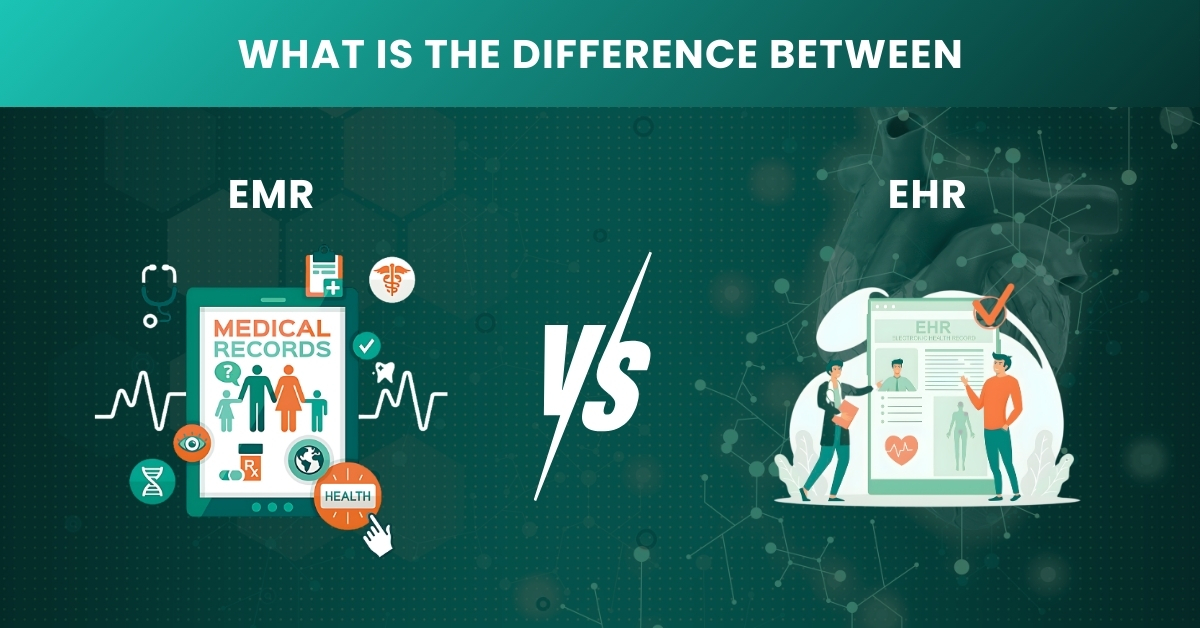
What's the Difference and What Your Practice Needs to Know
Here’s something most people don’t tell you: even experienced healthcare staff mix up EMR and EHR all the time. The two terms get thrown around like they mean the same thing, but they don’t. And if you pick the wrong system for your practice, you’ll feel it: in your workflow, in your billing, and eventually in your patient care.
This simple guide cuts through the noise. Just a clear, honest breakdown so you can make a decision that actually makes sense for your practice.
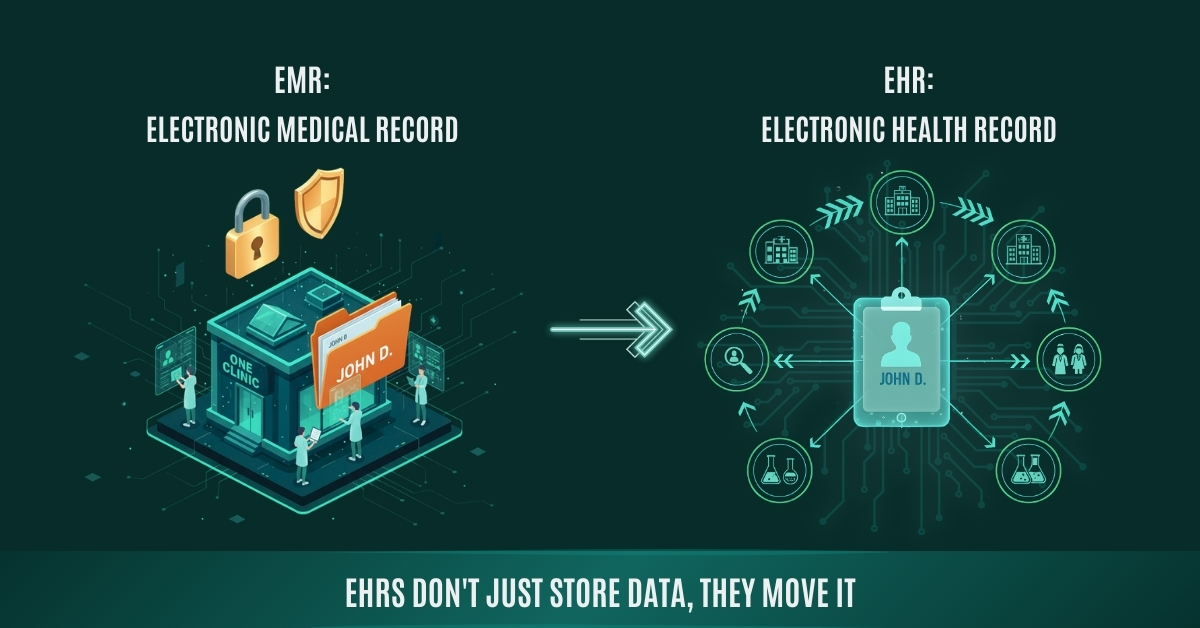
EMR stands for Electronic Medical Record. Picture the old paper chart your doctor kept in a folder; an EMR is just the digital version of that.
It lives inside your practice. Diagnoses, medications, visit notes, lab results — it’s all there. But here’s the catch: it stays there. It doesn’t follow the patient anywhere else.
Send a patient to a specialist across town? That specialist gets nothing from your EMR unless you physically print or fax it over. That’s not a bug — it’s just how EMRs were designed. They’re built for one place.
What EMRs are typically used for:
- Documenting patient visits and clinical notes
- Tracking diagnoses, prescriptions, and treatment plans
- Scheduling and internal workflow management
- Generating billing codes from clinical documentation
EHR stands for Electronic Health Record. It does everything an EMR does and then it goes further.
The big difference is that an EHR is built to move. It’s designed to be shared across providers your clinic, a hospital down the road, a specialist, a lab. The patient’s record travels with them. That’s a completely different approach to how health data works.
The majority of EHRs are also associated with patient portal. Patients are able to log in, view their records, order a prescription refill, or can also send a message to the provider. It is a little term, and the working in the portal as a practice is always associated with fewer no-shows and increased medication adherence.
The common uses of EHRs include:
- Integrating the services of various providers and facilities.
- Provision of access to the full health history to patients.
- Adhering to federal reporting requirements (MIPS, MACRA, etc.).
- Promoting population health management and analytics.
In 2009, the government of the United States enacted the HITECH Act that offered more than $30 billion incentives to healthcare service providers to implement certified EHR technology. Consequently, the adoption of EHR in hospitals increased by approximately 9 percent in 2008 to over 96% by 2021, one of the most rapid technology changes in any business sector.
Key Differences at a Glance
| Feature | EMR | EHR |
|---|---|---|
| Scope | Single practice only | Multiple providers & systems |
| Data Sharing | Internal use only | Shared across care teams |
| Patient Access | Limited or none | Patient portal access |
| Interoperability | Low | High |
| Best For | Solo/small clinics | Multi-specialty & integrated care |
| Cost | Generally lower | Higher, more comprehensive |
| Compliance | Basic | HIPAA + HL7/FHIR ready |
Benefits of EHR and EMR
- Faster to implement
- Easier for staff to learn
- Lower upfront cost
- Streamlined documentation for single-location workflows
- Reduces paperwork and cuts down on manual errors in clinical notes
- Sufficient for practices with low patient referral volume outside the clinic
Comprehensive patient data in terms of care coordination accompanies them throughout labs, specialists and hospitals. According to the ONC reports, enhanced care coordination lowers needless re-admission offenses and avoidable hospital readmissions of patients.
Patient portal access gives patients access to records, refill requests, and a message board with their care team.
- Complies with federal quality reporting criteria such as MIPS and MACRA critical in case you charge Medicaid or Medicare.
- Supports value-based care contracts, which is rapidly replacing the fee-for-service models
- Better analytics for tracking population health trends across your patient panel
- Qualifies for CMS incentive programs practices using certified EHR technology can earn positive payment adjustments under the Quality Payment Program.
Cost Difference: EMR vs EHR
Below is a realistic breakdown based on industry benchmarks from MGMA and CMS data:
| Cost Category | EMR (Estimated) | EHR (Estimated) |
|---|---|---|
| Subscription per Month | $100 – $500 / user | $300 – $1,500 / user |
| Implementation Cost | $5,000 – $20,000 | $15,000 – $70,000+ |
| Cost of Staff Training | $1,000 – $5,000 | $5,000 – $50,000 |
| Hardware / Infrastructure | Minimal (cloud-based) | Minimal to moderate |
| Ongoing Support / Maintenance | Included or low | Higher, vendor-dependent |
| Typical ROI Timeline | 6 – 12 months | 12 – 36 months |
Which One Does Your Practice Actually Need?
- Run a small, single-location practice
- Rarely refer patients to outside specialists
- Have a tighter budget and simpler administrative needs
- Don’t need to meet federal reporting requirements.
- Work across multiple locations or care teams
- Coordinate care with hospitals, labs, or other providers
- Need to comply with value-based care or MIPS reporting
- Want to offer a patient portal and improve engagement
Key Takeaways
- EMR = Contained, cost-effective, best for single-location practices.
- EHR = Connected health record that travels with the patient across providers and systems.
- EHRs cost more upfront but offer significantly more value for growing or multi-provider practices.
- If you bill Medicare or Medicaid, certified EHR use isn’t optional, it’s tied to federal reporting and payment adjustments.
- The label (EMR vs EHR) matters less than what the system actually does. Evaluate features, not marketing terms.
- Cloud-based systems are now the standard.
The Bottom Line
EMR and EHR aren’t just two ways of saying the same thing. They’re two different philosophies about how healthcare data should work. One keeps it in-house. The other connects it across providers, across systems, across the full arc of someone’s care.
Neither is the obvious winner for every practice. The right one is the one that fits the way you actually work, not just where you are today, but where you’re going.
At Vigilant Medical Group, we’ve helped practices of all sizes work through exactly this decision. If you’re trying to decide, we’re happy to walk through it with you.
Frequently Asked Questions
Q: Is an EHR always better than an EMR?
Not always. If your practice is small and you mostly see your own patients, an EMR is simpler, cheaper, and easier to actually run.
Q: Can an EMR be upgraded to an EHR later?
It really depends on the vendor. Some platforms let you add EHR features as modules. Others require a full rip-and-replace. Before you commit, ask specifically.
Q: Do small practices really need an EHR?
If your practice bills Medicare or Medicaid, you probably don’t have a choice. Federal quality reporting programs require certified EHR technology.
Still on the fence? Or maybe you already have a system but it’s not quite working the way it should? Our team at Vigilant Medical Group can walk you through a straightforward practice assessment, just honest guidance on what makes sense for your practice.
Schedule Your Free Practice Consultation Today